 Jack
JackYou manage a growing brand, and your content is your most valuable digital asset. However, if your team is struggling with clunky interfaces, security patches, or the inability to push updates to your mobile app, your current system is failing you.
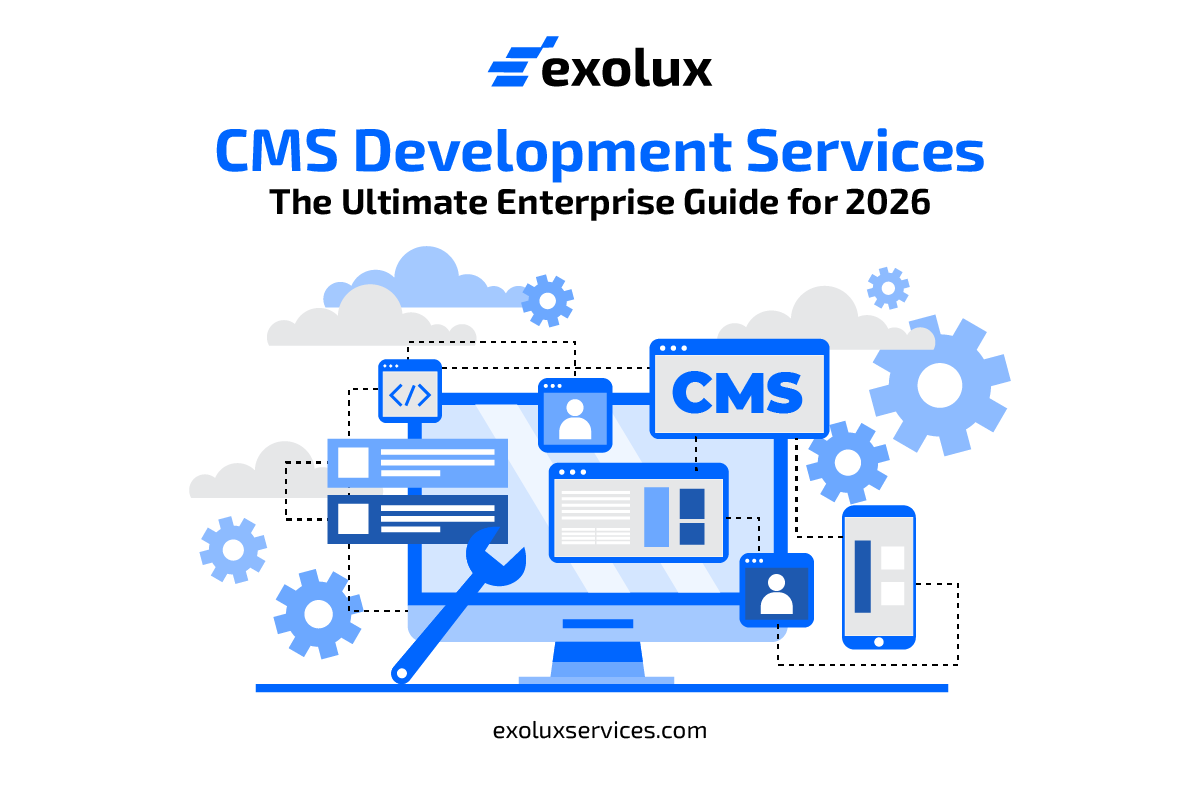
In 2026, CMS Development Services have evolved from simple website builders into complex, AI integrated engines that power entire digital ecosystems. Whether you are migrating from a legacy platform or building a custom solution from scratch, this guide covers the strategy, technology, and security required to succeed.
What are CMS Development Services?
CMS (Content Management System) development services involve the design, creation, and maintenance of platforms that allow non technical users to create, edit, and publish digital content.
Today, these services aren’t just about “websites.” They are about Omnichannel Delivery. An enterprise grade CMS allows you to write a piece of content once and deploy it instantly to your website, mobile app, smartwatches, and even in store digital signage.
Key Service Offerings:
- Custom CMS Development: Building a platform from the ground up, tailored to your unique business logic.
- Platform Based Development: Customizing existing giants like WordPress, Drupal, or Adobe Experience Manager (AEM).
- Headless CMS Integration: Separating the “body” (content storage) from the “head” (the display layer) for maximum flexibility.
- CMS Migration: Moving years of data from an old, insecure system to a modern architecture without losing SEO value.
The Strategic Shift: Traditional vs. Headless CMS
Before you hire a development team, you must choose your architecture. This decision defines how your team will work for the next five years.
| Feature | Traditional (Monolithic) | Headless (API First) |
| Architecture | Frontend and Backend are linked. | Frontend and Backend are separate. |
| Delivery | Limited to the website. | Any device (Web, App, IoT, AR/VR). |
| Flexibility | Rigid templates and plugins. | Total design freedom for developers. |
| Security | Larger attack surface. | More secure; backend is hidden. |
| Best For | Simple sites and small blogs. | Complex, multi channel enterprises. |
2026 Trends: The Rise of the “AI Native” CMS
Content management is no longer a manual chore. In 2026, the best CMS development services are integrating Agentic AI directly into the workflow.
1. Automated Content Personalization
Your CMS shouldn’t show the same home page to every visitor. Modern services use AI to analyze user behaviour in real time. If a user in London clicks on “Winter Jackets,” the CMS automatically swaps out the hero banner for high performing local inventory.
2. Predictive SEO and Tagging
Stop guessing which keywords to use. AI native CMS platforms now suggest SEO optimizations while you type. They also use computer vision to auto tag images, making your media library instantly searchable and organized without manual data entry.
3. Smart Workflows
Enterprise teams often face “bottlenecks” where content sits waiting for approval. AI agents can now perform basic fact checks, grammar audits, and brand voice compliance checks automatically, passing only the final version to human editors for the “okay.”
Essential Features for Your Custom CMS
If you are investing in custom development, do not settle for generic features. Your platform should be a competitive advantage.
Role Based Access Control (RBAC)
In a large company, you cannot have everyone touching everything. Your CMS must allow you to define granular permissions. An intern might have “Draft only” access, while a Senior Editor has “Publish” power, and an Admin manages the technical API keys.
Advanced Digital Asset Management (DAM)
Images and videos are the lifeblood of modern content. A built in DAM should handle:
- Auto Resizing: Generating mobile, tablet, and desktop versions of an image instantly.
- Global CDN Integration: Ensuring your high res videos load fast in Tokyo and New York alike.
- Version Control: Seeing who changed an asset and when, with the ability to “roll back” to a previous version.
Multi Language and Multi Site Support
If you operate globally, you need a “Global Master” content model. You should be able to write a press release in English and have it automatically sent to regional editors for translation and local adjustment across 20 different country specific domains.
Security: Protecting Your Brand Spine
A CMS is a prime target for hackers because it holds your data and controls your public face. Your development service must prioritize Security by Design.
The Zero Trust Approach
In 2026, we assume the network is already compromised.
- MFA is Mandatory: Require Multi Factor Authentication for every login.
- API Security: Use OAuth2 and encrypted tokens for all data transfers.
- Database Hardening: Never use default database names or ports. Encrypt all sensitive user data “at rest” using AES 256 standards.
Vulnerability Management
If you use open source platforms like WordPress or Drupal, you are only as secure as your weakest plugin.
- Service Tip: Hire an agency that offers Managed Security Updates. They should proactively scan for patches and apply them in a staging environment before pushing them to your live site.
The CMS Development Lifecycle (SDLC)
Building an enterprise CMS is a marathon, not a sprint. A professional service will follow these eight critical steps:
- Business Analysis: Interviewing your marketing, sales, and IT teams to find their pain points.
- Conceptualization: Deciding between Headless, Hybrid, or Traditional architecture.
- Prototyping: Designing the “Admin Interface” first. If your editors hate the backend, the project will fail.
- Development: Writing clean, documented code and building the API layers.
- Integration: Connecting the CMS to your CRM (Salesforce), ERP (SAP), and Analytics (Google/Adobe).
- Data Migration: The most dangerous phase. Moving thousands of existing pages without breaking links.
- QA & Security Testing: Performing “Penetration Tests” to try and break the system before it goes live.
- User Training: Teaching your non technical staff how to use the new tools effectively.
How to Choose a CMS Development Partner
The market is flooded with agencies. To find the right partner for a 2026 project, ask these three questions:
“Can you show me an Omnichannel use case?”
If they only talk about “websites,” they are living in 2015. They should be able to explain how your content will look on a mobile app and a voice assistant.
“How do you handle Scalability?”
What happens if your traffic spikes by 500% during a Black Friday sale? Your partner should discuss Cloud Native Auto scaling and Headless Caching strategies.
“What is your post launch support model?”
A CMS is never “finished.” You need a partner who provides ongoing maintenance, security monitoring, and feature updates. Avoid “one and done” freelancers for enterprise level needs.
Conclusion
CMS Development Services are the foundation of your digital presence. In 2026, the choice is no longer just about which platform to use, but how to build an intelligent, secure, and flexible content ecosystem.
By moving toward a Headless or Hybrid architecture, integrating AI driven workflows, and enforcing Zero Trust security, you empower your marketing team to move at the speed of the market. Don’t let a legacy system hold your brand back. Start by auditing your content lifecycle today, identify where your team is moving slowly and use that as the roadmap for your next generation CMS.